
A Onetrace alternative built for the people working in fire stopping
Still chasing site updates, hunting down photos and piecing together reports? You need your office and site teams working from the same information, without worrying about storage limits or paying extra to unlock essential tools. Onetrace works well, but FireArrest brings it all together, with every feature included and pricing based on the users you really need.
Software that works around you, not the other way around
Onetrace consolidates tools for managing construction work, including surveys, timesheets, planning and signed documents, and this is great if you work across several trades or project types.
However, FireArrest takes a more focused approach that works for the people using it. It’s built for contractors who install, inspect and maintain passive fire protection, bringing the practical details of the job and the records you need into one place. It’s one source of truth for your peace of mind.
That means you can plan the work, record what happens on site and prepare the evidence for handover without having to move between systems. And because fire protection professionals help shape the software, these tools reflect the work you do every day.
Onetrace vs FireArrest at a glance
| FireArrest | Onetrace | |
|---|---|---|
| Designed for | Contractors managing passive fire protection installations, inspections and compliance records | Subcontractors working across a range of trades and project types |
| How you pay | Per user, with every feature included | A choice of Traceability, Workforce or All in one |
| Published prices | Available on the pricing page | On request |
| Feature access | All features available on every plan | Features depend on the product you choose |
| Planning and resources | Data import, task scheduling, resource and stock management, cost and materials tracking | Planner and material usage tracking |
| On-site recording | Date-stamped photos, interactive floorplans, pins, image annotation and offline working | Photos, forms, drawings, pins and offline working |
| Reporting | Report template builder, audits and document library | Branded Onetrace reports exported as PDF or Excel |
(All facts accurate as of November 2026)
From inspection to sign-off
FireArrest brings together the four key parts of the job – plan, record, manage and prove.
Plan – Import your data, schedule tasks and organise resources before work starts. Keep track of stock, materials and costs so you know what each job needs.
Record – Take your date-stamped photographs, mark locations on interactive floorplans and annotate images to show what’s been found or completed. If you lose signal, you can keep working because your changes sync when you’re connected again.
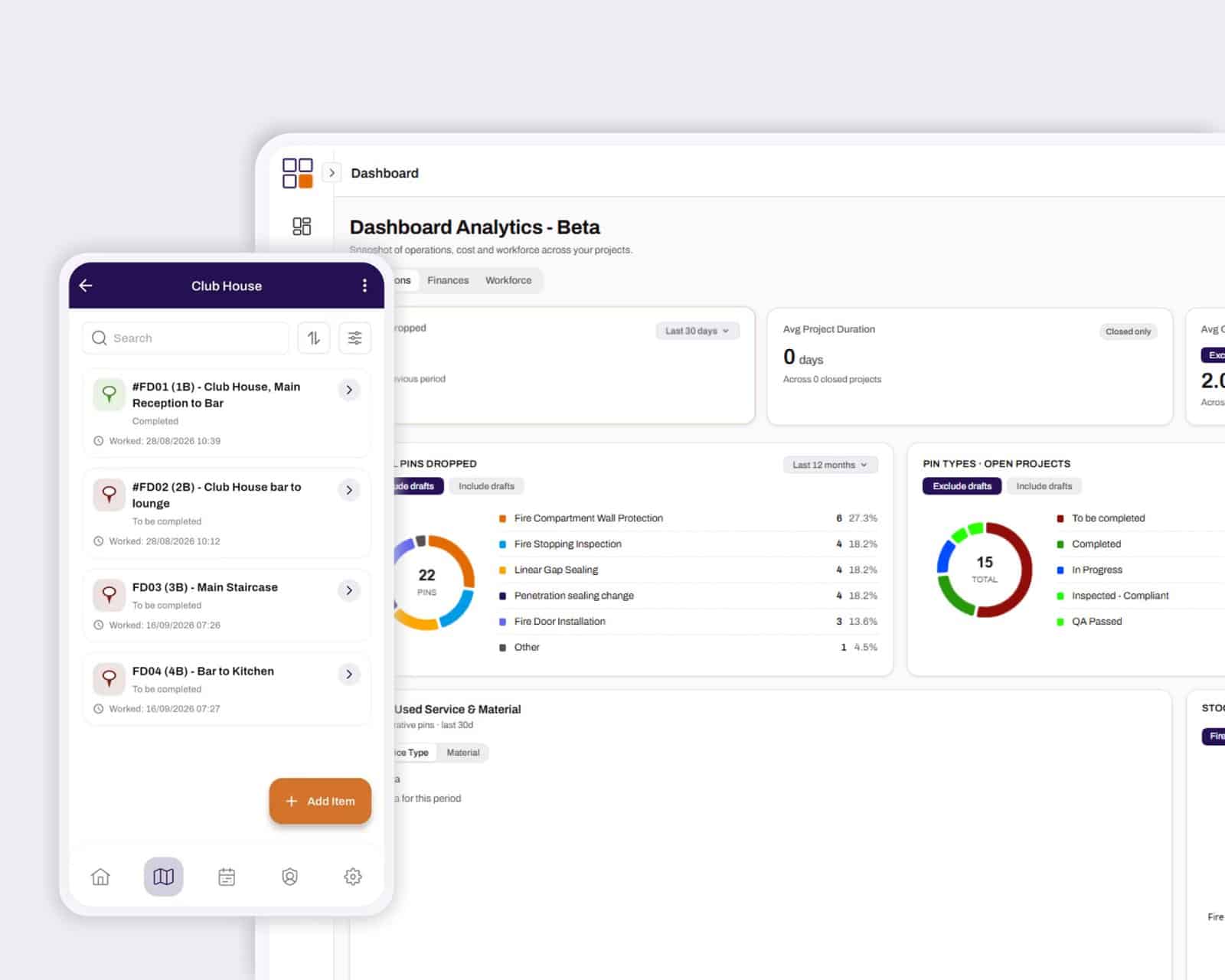
Manage – Check progress through dashboards, create forms that suit your jobs and send updates to your team. A Microsoft 365 single sign-on gives you one less password to remember.
Prove – Create report templates, carry out audits and keep project documents together, ready to share with a client or inspector.
These records help you build a solid trail from the first inspection to final sign-off. This means your site teams can record the details while they’re doing the work, and admin staff can find it when they need to answer a question or prepare a report.
Every feature, whatever your team size
You shouldn’t have to move to a more expensive feature package just to get the tools your next job needs.
With FireArrest, all your users will have access to every feature from day one. That includes resource and stock management, dashboard analytics and Microsoft 365 single sign-on, whether you’re running a small team or a much larger operation.
As your business grows, you can add users without changing how you work or buying access to extra tools.
Straightforward pricing, with room to grow
FireArrest’s pricing is based on the users you need, rather than the features you choose. There are no separate feature packages to weigh up, and there’s no need to upgrade to unlock another tool.
Every plan includes unlimited projects, plans and storage, alongside offline working, custom forms and custom reports. Your team can record the detail each job needs without worrying about running out of storage.
Built by people who understand construction
The difference with FireArrest is that the founders have listened to real industry challenges. The software started with a conversation about the challenges of working in fire protection. Founder Mark Shaw had spent more than a decade running a construction business when a colleague highlighted the need for specialist software. This practical approach still guides FireArrest’s development. The team listens to customers and uses their feedback to improve existing tools and develop new ones as the industry changes. The aim is to make the software useful to the people relying on it, both on site and in the office.
See how it would work for you
Looking for an alternative Onetrace? Book a FireArrest demo today to see how you can leave complicated, costly compliance behind. FireArrest brings on-site teams, office teams and compliance records together in one easy-to-use platform, making fire safety compliance easier, quicker and more profitable.